Advanced Feature Set

Full Playback Control Without the Noise

Universal Video Speed Controller is engineered for speed, efficiency, and complete keyboard and gesture automation on any website.

Circular Dial Popup Dashboard

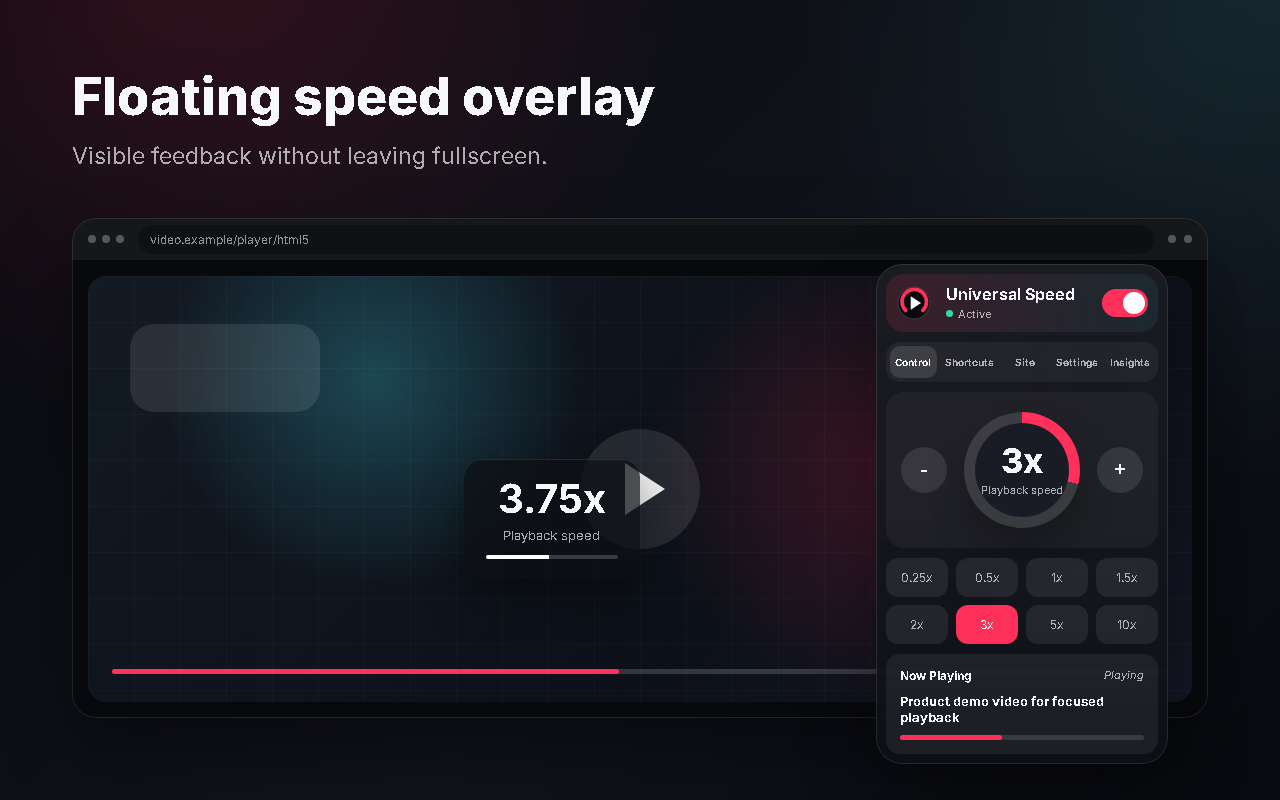
A minimalist design giving you instant access to adjustments. Get one-click speed resets, circular visual indicators, live active-video metrics (title, current duration, playback rate), and a rapid-step speed controller.

Fully Mapable Keyboard Hotkeys

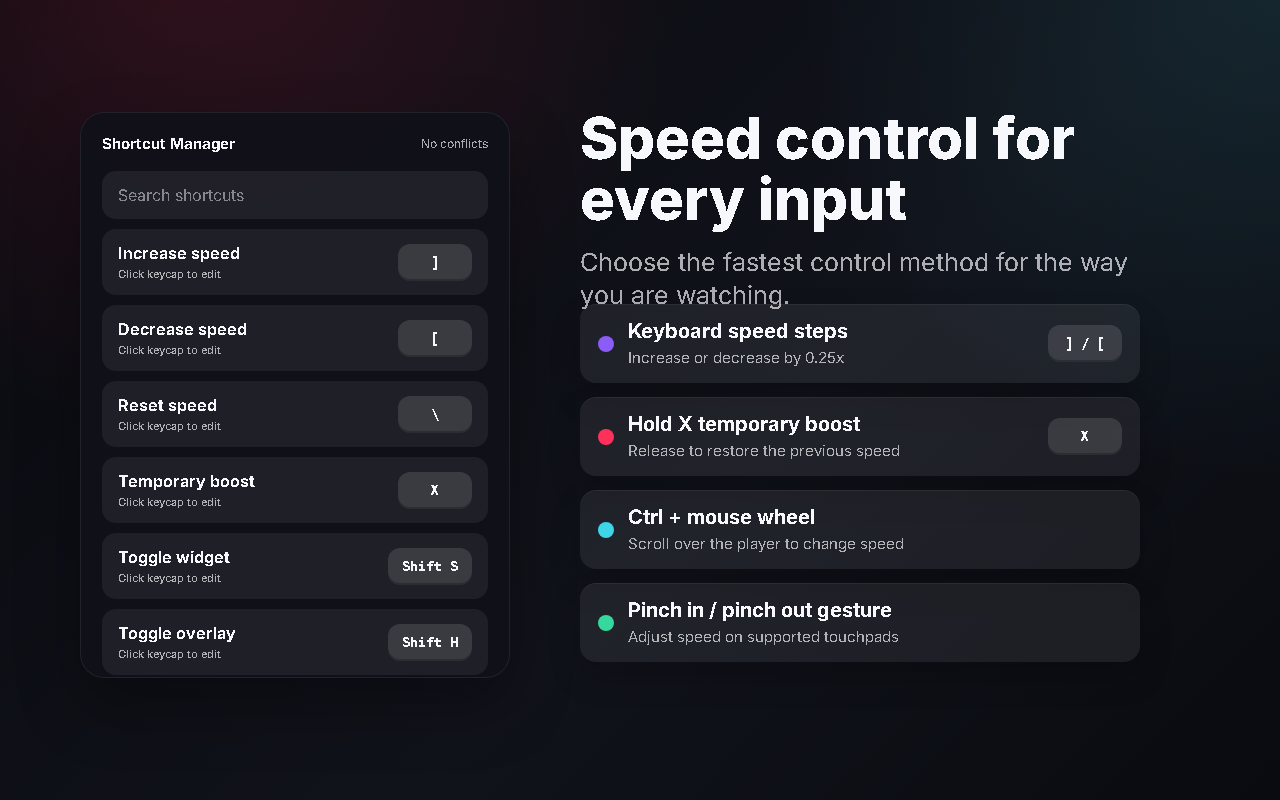
Take charge of your keyboard. Map keys to accelerate or decelerate speed, reset to normal, trigger custom speeds (e.g. 1.25x or 3x) or toggle floating widgets. The extension automatically ignores hotkeys when you type in comment/search fields.

Smart Settings

Domain & YouTube Channel Rules

Configure default speeds to adapt based on what you are watching. Let the extension automatically remember the speed you left off at. You can set global rules, customize rules per website domain, or even configure specific memory speeds for different YouTube channels!

Access gating rule configuration allows you to choose to run the speed controller on all websites (universal default), run it only on allowed domains, or block it entirely on specific domains.
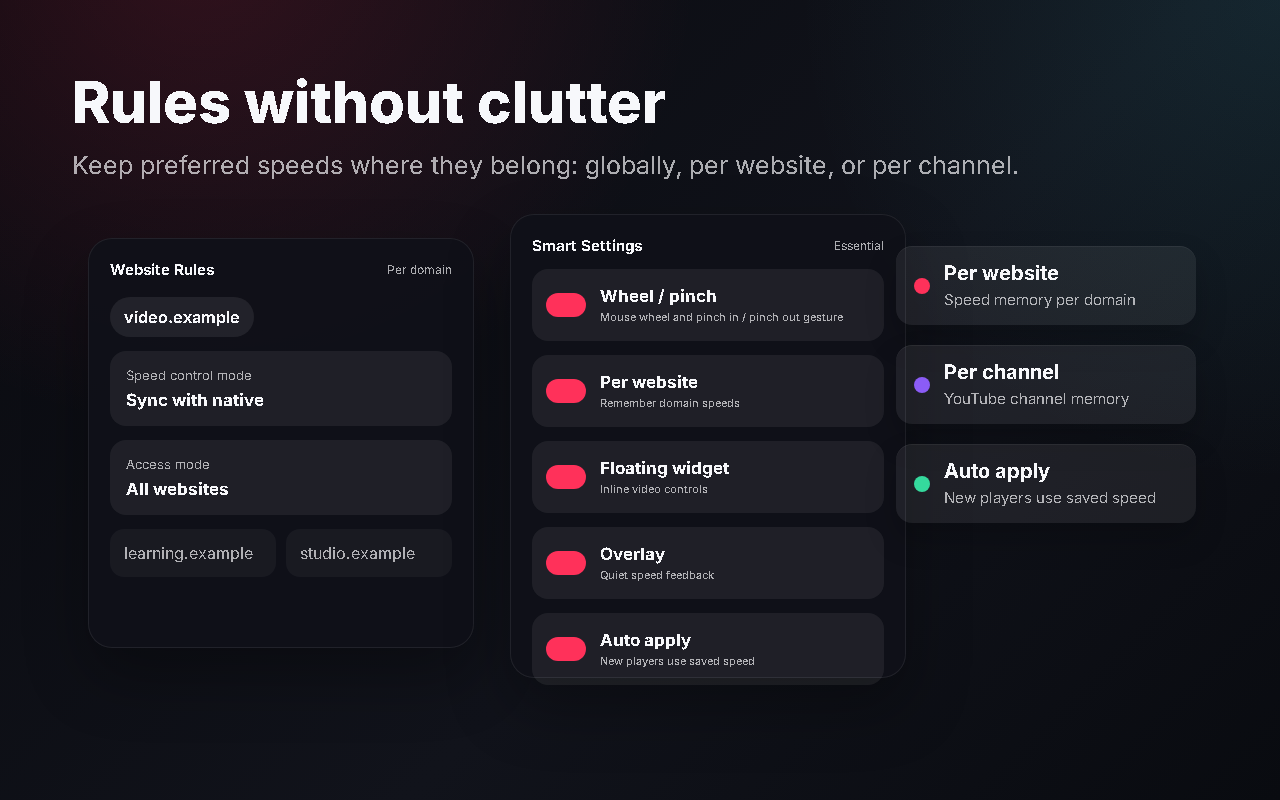
Extension settings layout showing per-site domain configuration rules and access allowlists
Gestures

Mouse Wheel & Pinch Adjustments

Hover your cursor anywhere over the active HTML5 player, hold Ctrl, and scroll your mouse wheel up or down to adjust the speed in 0.25x intervals. Supports pinch-to-zoom gestures on multi-touch trackpads, translating pinch-in and pinch-out to fluid playback speed increments.

Since the gesture boundaries are restricted strictly to the video DOM element, you can scroll the rest of the web page normally without interference.

Keyboard shortcuts list with mouse scroll gestures configurations toggle
Private Analytics

Lightweight Local Insights

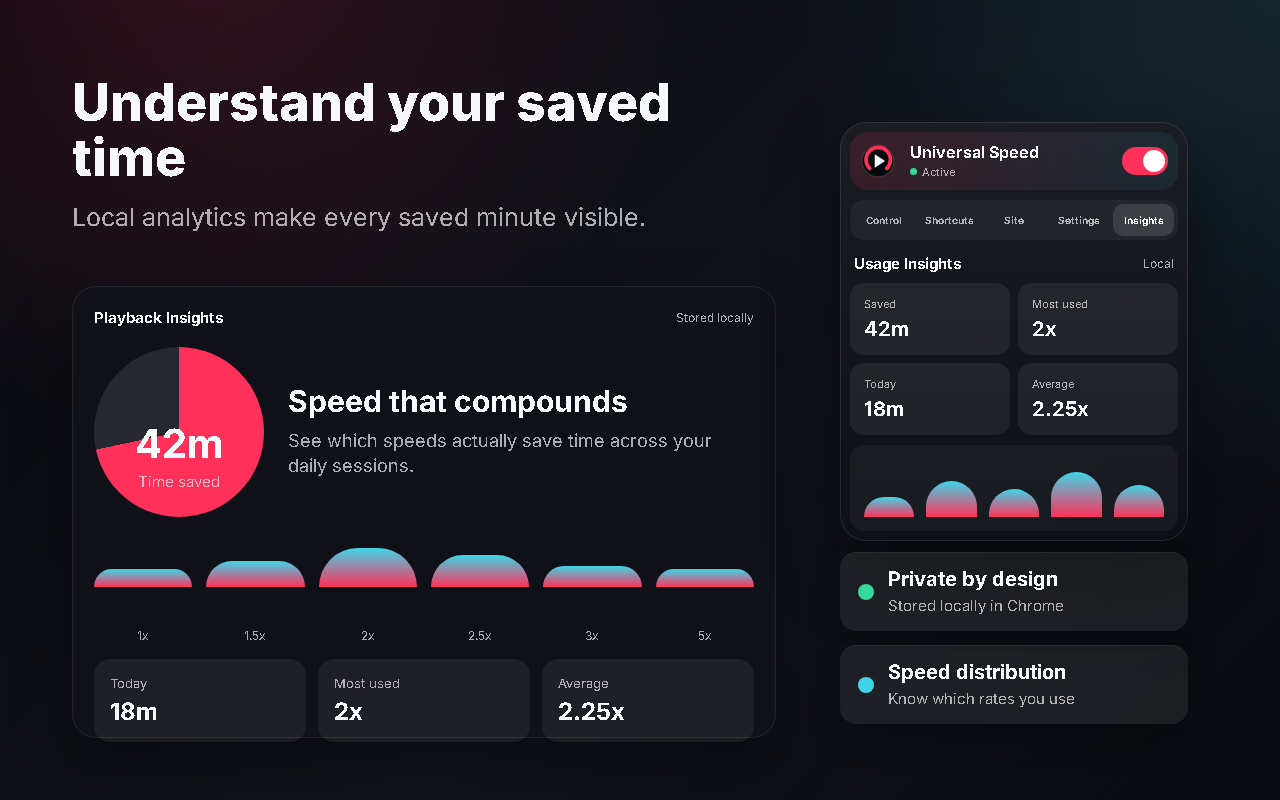
See how much time you save by watching videos at accelerated rates. The dashboard keeps track of total watch time saved, daily usage history, session averages, and your most frequently used speed ranges.

All calculations are executed locally in the browser runtime and persisted in local extension storage. We never upload, sync, or sell your viewing data.

Local insights dashboard representing analytics charts, time saved, and speed history stats
Fullscreen HUD

Frosted Speed Overlay Toast

Adjusting video speeds in fullscreen triggers a refined, non-obtrusive overlay toast directly in the player. The toast displays the speed value alongside a visual progress bar, quickly fading away after 1 second so you can focus on the video content.

HTML5 fullscreen video overlay speed dial pop-up representation

Ready to optimize your learning?

Experience all these features for free on Chrome and Firefox.

Add to Chrome Get Firefox Add-on Installation Walkthrough